Split Screen
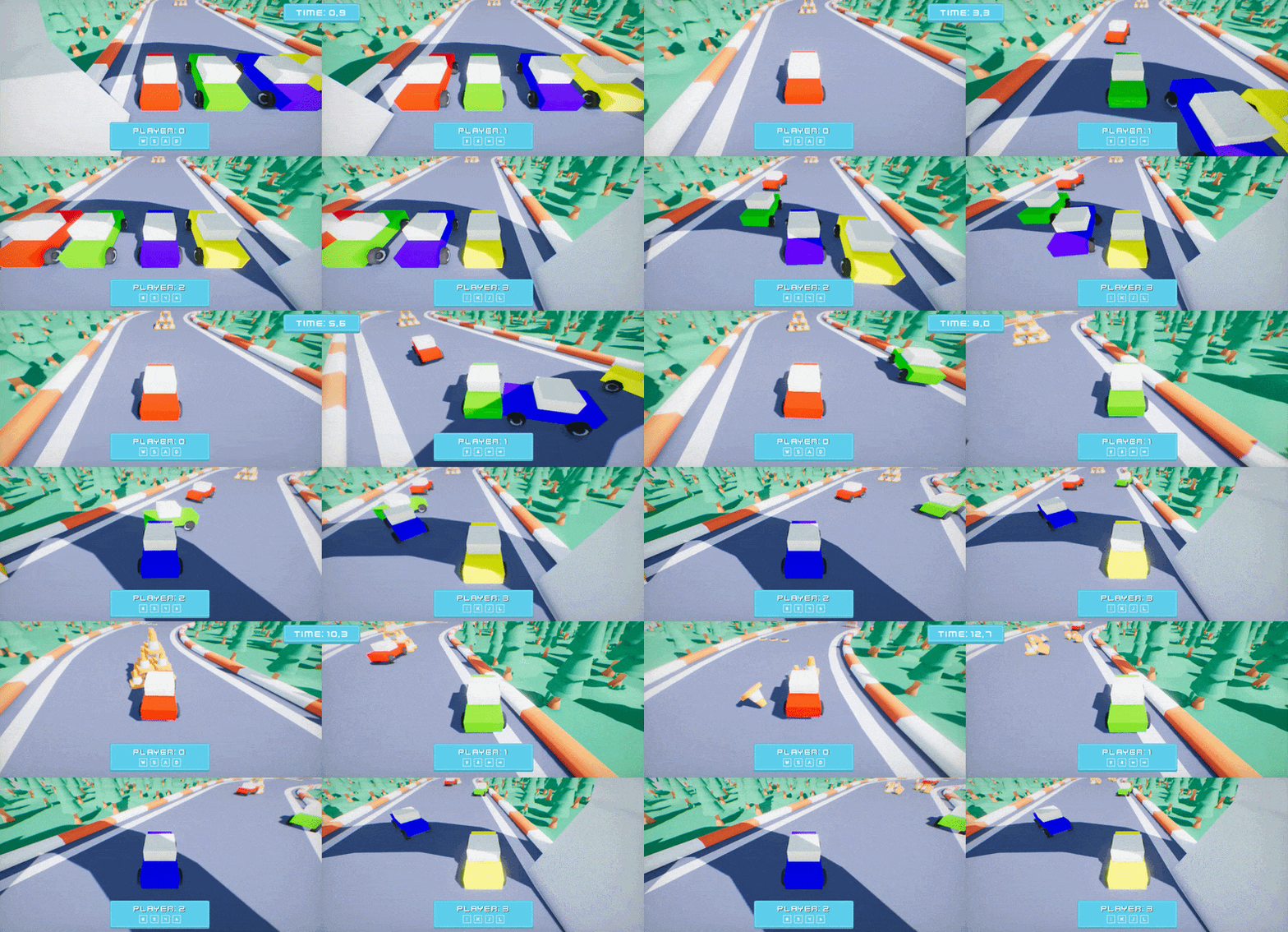
Camera and UI Canvas contain the property Viewport Rect which defines the area of the output image/screen to fill when drawing the game or UI. This can be used to achieve split-screen rendering for local co-op games.
Engine draws the main game view using the first camera (or overridden one by cut-scene/gameplay) from Camera.MainCamera. The main view is drawn using MainRenderTask.Instance which takes that main camera view properties and draws it to the output. Game can create own SceneRenderTask for other local players that would composte to the same main game output.
See a simple local co-op racing game project made with Arizona Framework. Contains arcade-like vehicle controls with cartoon visuals and sounds.
To control the viewport for the main camera (eg. 1st player) use the following code:
var viewport = new Float4(0, 0, 0.5f, 1); // Based on the number of players and a way to split the screen
var task = MainRenderTask.Instance;
Camera.MainCamera.ViewportRect = viewport;
var canvas = MainPlayerCanvas; // From game-specific code
canvas.ViewportRect = viewportRect;
For other players, spawn a custom render task with canvas to assign their viewports. Player UI can be spawned from prefab and use the root actor as UI Canvas.
var task = new SceneRenderTask();
task.Order = 10 + PlayerIndex; // Draw after the main and in stable order
task.SwapChain = MainRenderTask.Instance.SwapChain; // Sync output window (for game)
task.Output = MainRenderTask.Instance.Output; // Sync output image (for editor)
task.IsComposite = true; // Indicate the output buffer is linked, not owned
task.Camera = PlayerCamera; // Link camera actor used by this player
var viewport = new Float4(0, 0, 0.5f, 1); // Based on the number of players and a way to split the screen
task.Camera.ViewportRect = viewport;
var canvas = PlayerCanvas; // From game-specific code
canvas.ViewportRect = viewportRect;

// OnDestroy:
// Be sure to cleanup allocated object after gameplay ends of player disconnects
Delete(task);